May 16th, 2025
Improved
Fixed
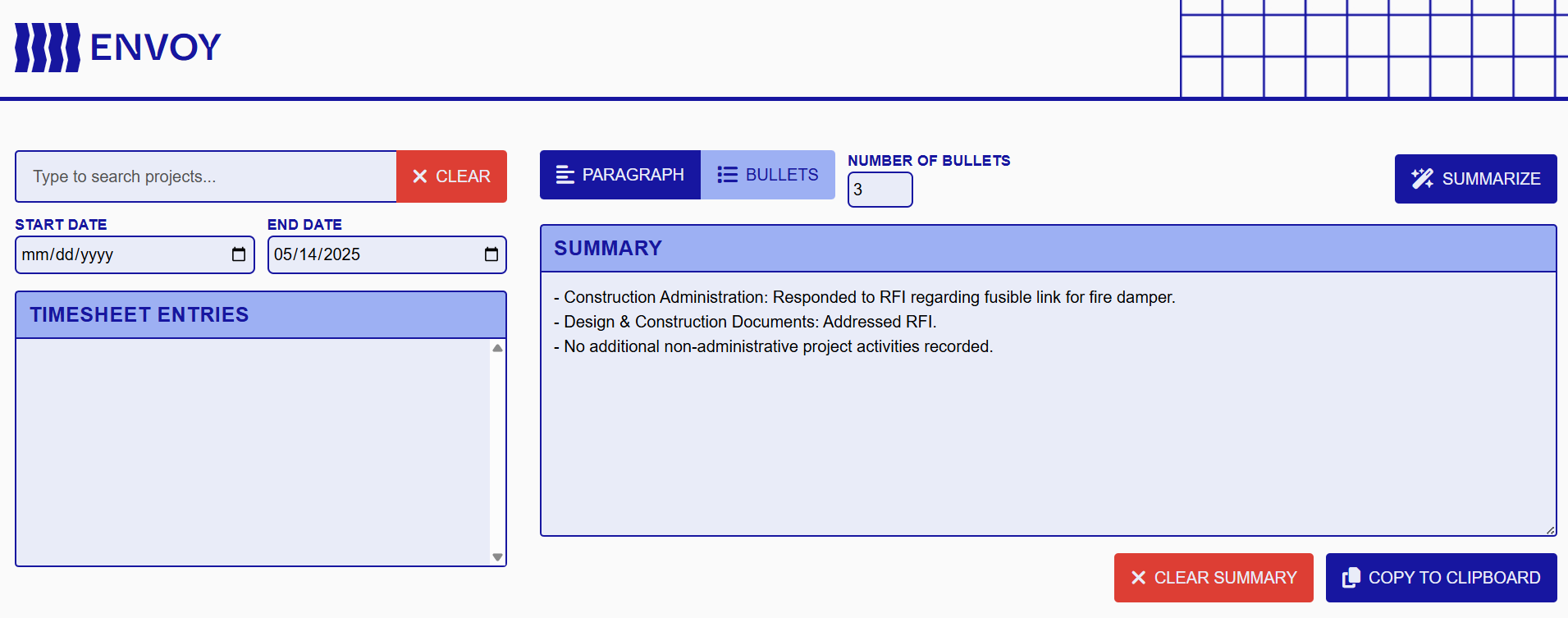
Hi, friends!
We’ve updated the AI model in Envoy to gpt-4.1, which should significantly improve the fidelity and quality of timesheet summaries for project managers.
Check it out now: https://envoy.pve-edi-apps.com
Email and stability updates
Novus and Stanza are undergoing updates to their email sending functionality, after an issue with a vendor required some maintenance to Novus earlier this week.
We’re hard at work at other stability and quality-of-life changes, as well as work on new tools.
February 10th, 2025
Fixed
Hi, friends, and happy 2025. The first Stanza release of the year brings a cavalcade of fixes and updates:
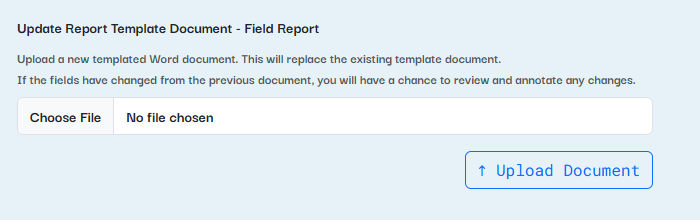
Updating the report template document (which you can do by hitting the Settings button and selecting the Word document icon) now includes the name of the report you’re updating. (Thanks to Sarah Hulton for reporting this — and check out Pitch Kit on Stanza!)
Date fields can now be optional — previously, all date fields were required due to a backend parsing restriction.
Deleted reports can no longer be filled out.
And we squashed a few pesky bugs with repeater functionality!
August 2nd, 2024
New
Fixed
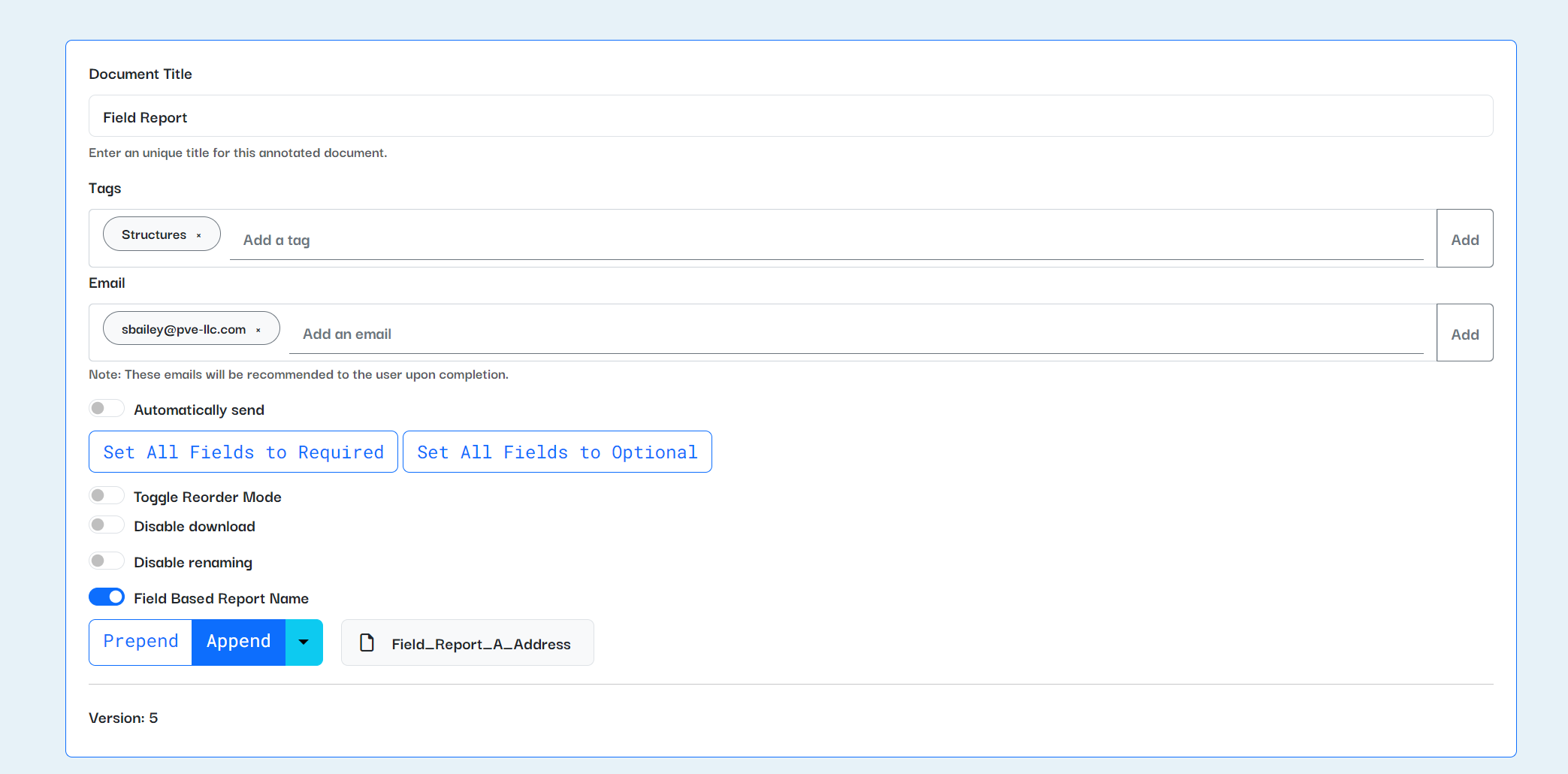
We recently closed the book on a collection of features (what software nerds call an “epic”) to give report creators more power. A summary of what was released:
Reports can be automatically emailed upon their creation. Do you want to be notified every time a field inspector completes a report on-site? Want proposals to be forwarded to a director automatically? Now you can pre-fill emails and automatically send them whenever a report is completed.
Reports can be named based on their fields. This will allow you to change the default filename for completed reports — want your documents to be named “123 Main Street Field Report” instead of just “Field Report”? Now you can.
Photo reports can now be made optional. No more putting in random photos just to delete them.
And a few smaller fixes and features:
Photo report photos can include prefixes.
Report creators can specify a numbering offset, so photo reports can start their numbering at a number greater than one. (Thanks, Alan, for requesting this.)
Report creators can optionally disable downloading and renaming of reports.
Plus signs in report names won’t cause an error anymore.
March 11th, 2024
New
Improved

A few things have been improved on Stanza since our last update:
Prefixes for text fields
Report creators can now add prefixed text to strings and text areas. This should help remind the report filer of the context behind the field. You can add prefixes with text from the report, or additional notes or information related to how the field is used.
Thanks to the MEP team for requesting this feature!
Partial support for HEIC files
HEIC files will not crash the application anymore. :D
There are still Windows file limitations that prevent us from being able to fully support HEIC files natively in Stanza. You can't crop, mark up, or edit HEIC files with the Stanza editor in your browser. But they will now be included in your reports without causing an error.
If you still have issues with HEIC files, please let the Software + Innovation team know by submitting feedback from Stanza or via email. You can also try converting the HEIC files to JPG or PNG; the IT team has a recommended conversion software that they use.
A few smaller improvements
The homepage card view now has a settings button for report creators to edit or delete their reports. This mirrors the settings button on the list view for the homepage.
The parapet report module has improved functionality for "None" and "Other" selection options. Coming soon to the rest of Stanza!
February 16th, 2024
New
Improved
Fixed
Two major new improvements to Stanza are now out in beta!
Parapet report module
There's now a beta version of a report for parapet inspections under the new Local Law 126 requirements. We've been developing and testing this report and have implemented new functionality, including the ability to create lists of fields (in this case, parapet measurements and information) and have that repeat in the report.
We'll continue to refine the report as we test it out on-site, and functionality developed for the report will become available for all Stanza report creators soon!
Geodata map fields
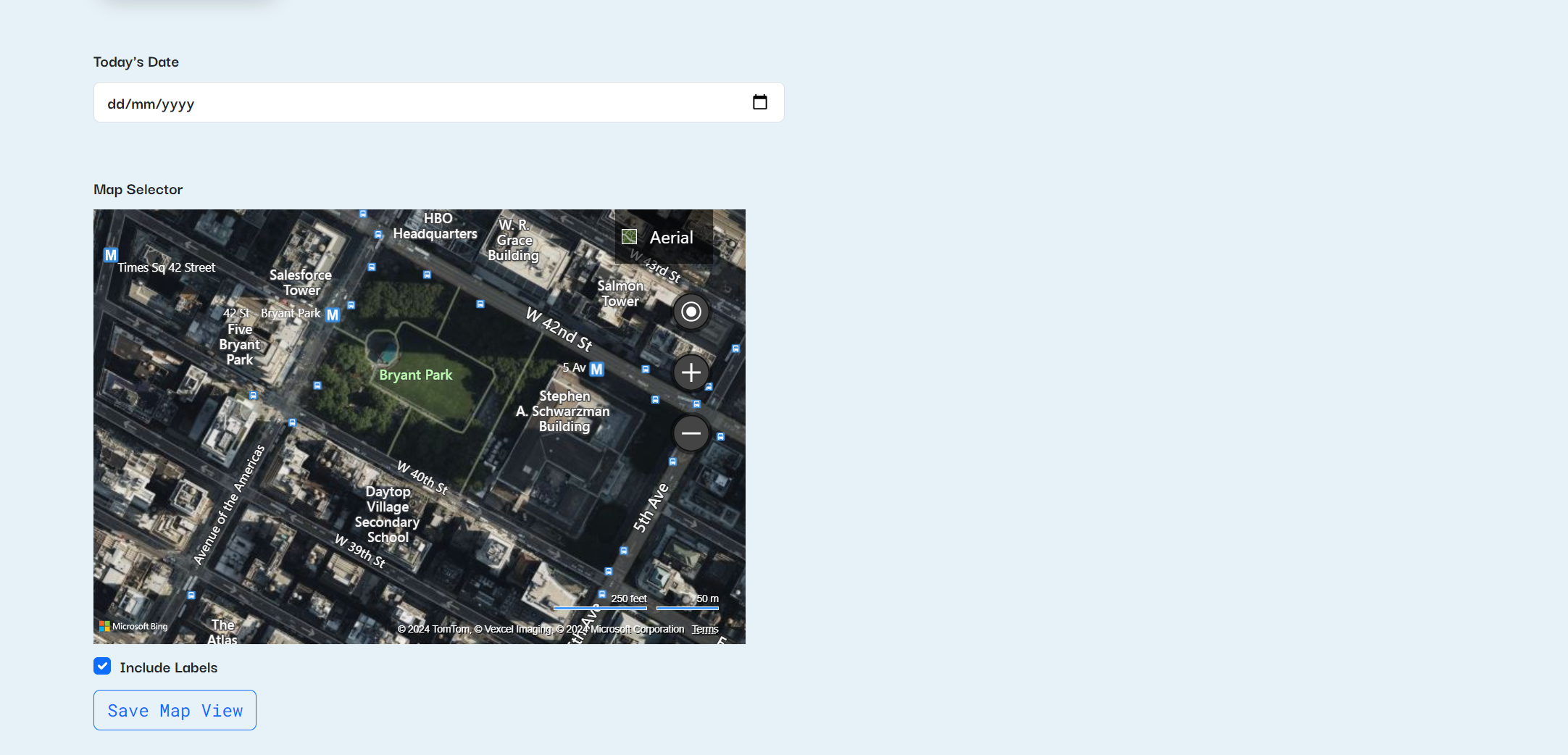
Report creators can now include a map selector in their reports. This functionality is still in beta, so we're working out some final kinks, but users are able to select an overhead satellite map, a birds-eye view, or a streetview image from a map and include it as an image in reports. This is now available in the report annotator under "Map"!
Other improvements and bugfixes
A laundry list:
Implemented new range, maximum, minimum, and step options for number entry fields. You can now restrict number entries to a minimum and maximum value, as well as stepping by a certain amount.
Squashed a bug with searching and pinning reports.
Added the ability to toggle date-stamping on and off for individual photos in a photo report. (Thanks, Luis, for the request and for helping us test this feature!)
Improvements to photo markup, including snapping shapes and text to grid, outlines and shadow effects for text, and many other small fixes and improvements.
Fixed a bug where ampersands in text fields would not display properly.
Fixed a bug where multi-select fields would show ", and" even if only one option was selected. (Thanks, Marco and Alan, for reporting this!)
December 22nd, 2023
New
Improved
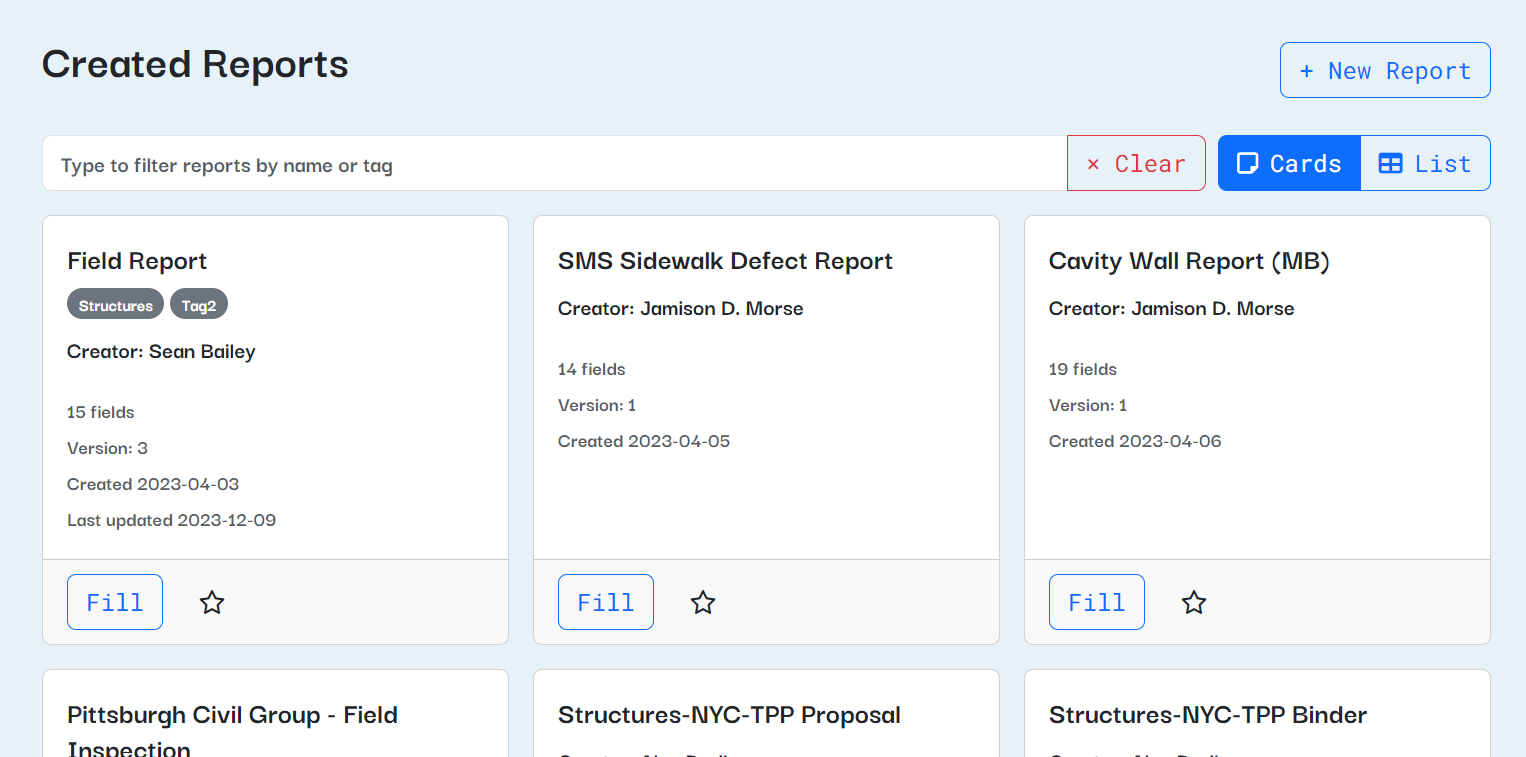
Howdy, friends! We've made a ton of major improvements to Stanza recently. Here are some highlights:
A new card view for the report dashboard. This should make accessing Stanza on smaller screens (like tablets and mobile devices) much easier, especially if you star reports that you use often.
The card view now shows on all devices by default, but you can switch back to the list and Stanza will remember your preference on the current browser.Photo report photos can be reordered with drag-n-drop! (Requested by many, many users - get hype!)
Click on any tag to search for other reports with the same tag.
You can now preview, download, and share completed reports by clicking the title in the "Completed reports" column on the homepage.
Plus, we gave the whole site a facelift with a new font!
Also, if you look to the right of your screen while using Stanza, you'll notice a little "Feedback" widget:
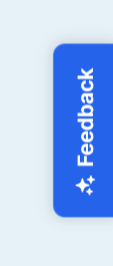
Click that button to report a bug or request new Stanza functionality. You can take screenshots, add details, and get emailed when your request is answered.
September 21st, 2023
New
Fixed
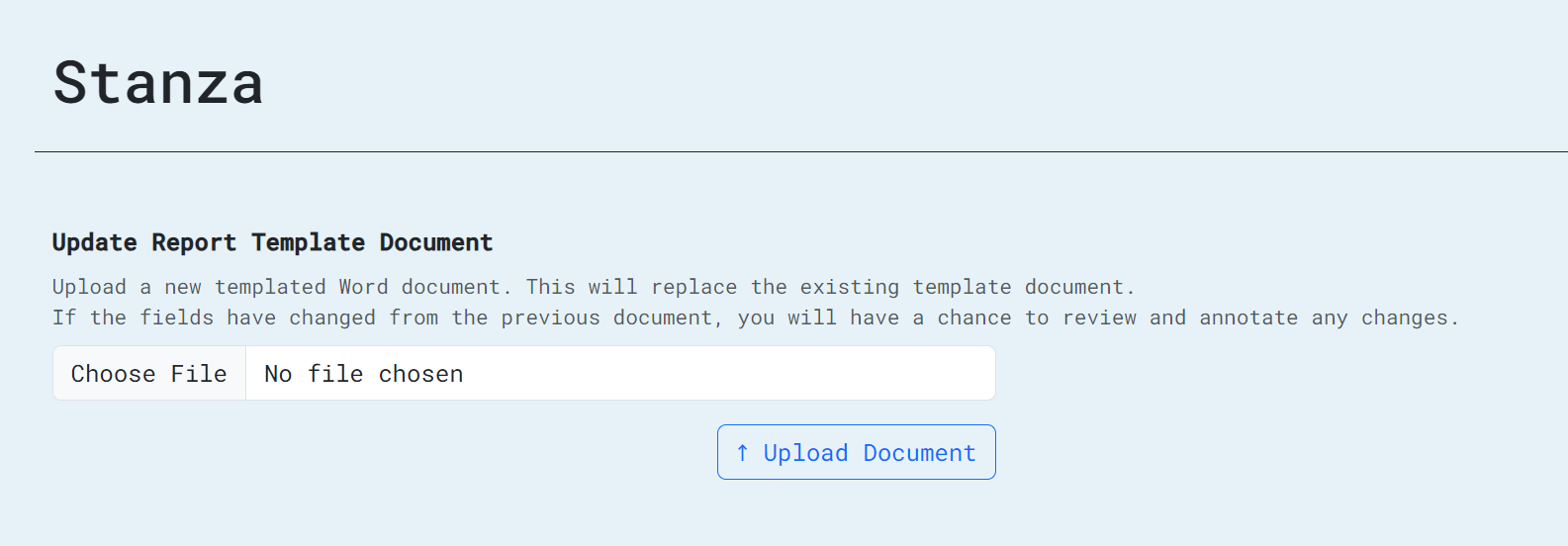
Big news: report creators can now update the Word document template for their reports. So, if you found a typo in a report template, want to change the section headers in a proposal, or need to add additional fields to a report you're working on adding to Stanza, you can now do that.

To update, click the gear icon next to one of your reports, then click the "Word document" icon. From there, you can upload a new version of your template and, if the fields have changed, you'll have the opportunity to add that information to your report.
Also, users can now view all of their past filled reports. From the "Your recent reports" section on the dashboard page, just click "View All," where you'll be able to see and download any of your past reports. (Right now, it's limited to 100, but pagination is coming in a future release.)
We've also squashed a few bugs since our last release:
Users are not restricted in clicking on photo fields or the page menu when they're filling out a cached report. (Thanks, team, for reporting that one!)
Report creators will receive an error if they try to create a report without a title.
Not a bug, but we now have a snazzy new top menu with the PVE/EDI logo!
September 11th, 2023
New
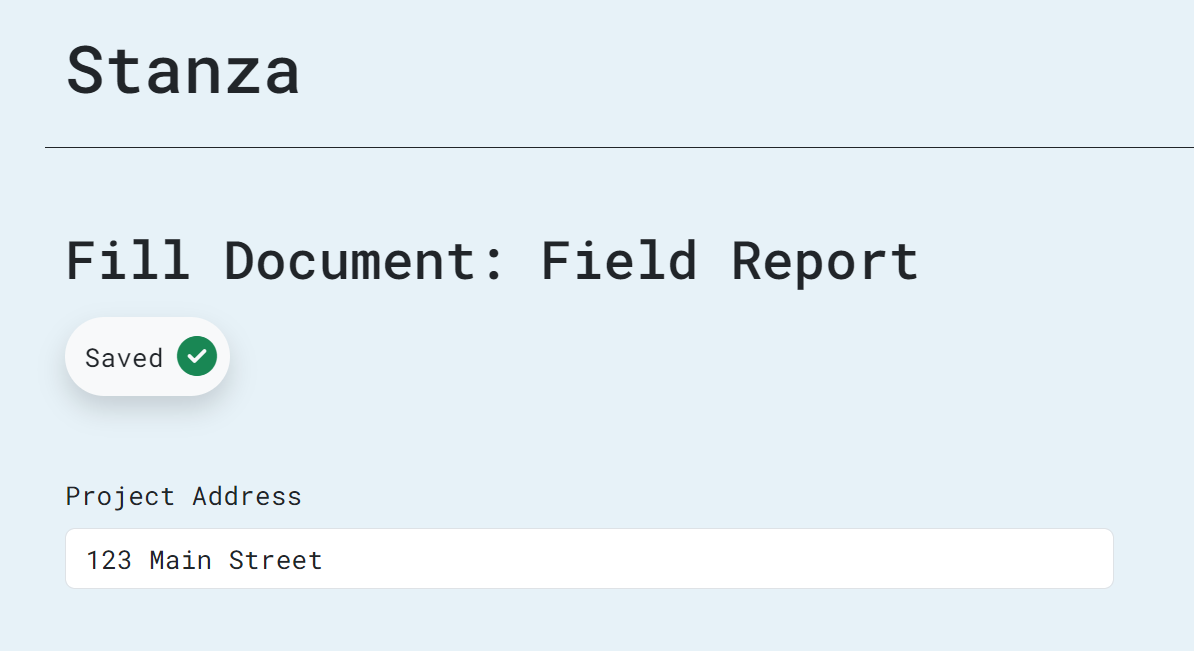
Three major changes have been rolled out to Stanza this week.
Reports now auto-save on your device while they're being filled. You'll see an indicator that the report is saving each time you fill a report. If you quit Stanza and re-open it, you'll see an indicator that you have an in-progress report; when you continue, all fields and images will be pre-filled for you to continue with your report.
Photos can now be limited by height in addition to width - if you have a report which needs to limit photos to a certain height, you can edit the photo field in the report creator.
A new "reorder mode" has been implemented for report creators. It hides all field annotations to make it easier to drag-and-drop fields into the order you want. See it in action here: https://pvellc-my.sharepoint.com/:v:/g/personal/sbailey_pve-llc_com/EU7oGduzPJNJusATqDngD6IBiSj3SQGHaUURfY6X4YakWw?e=IyI7LH
August 15th, 2023
Improved
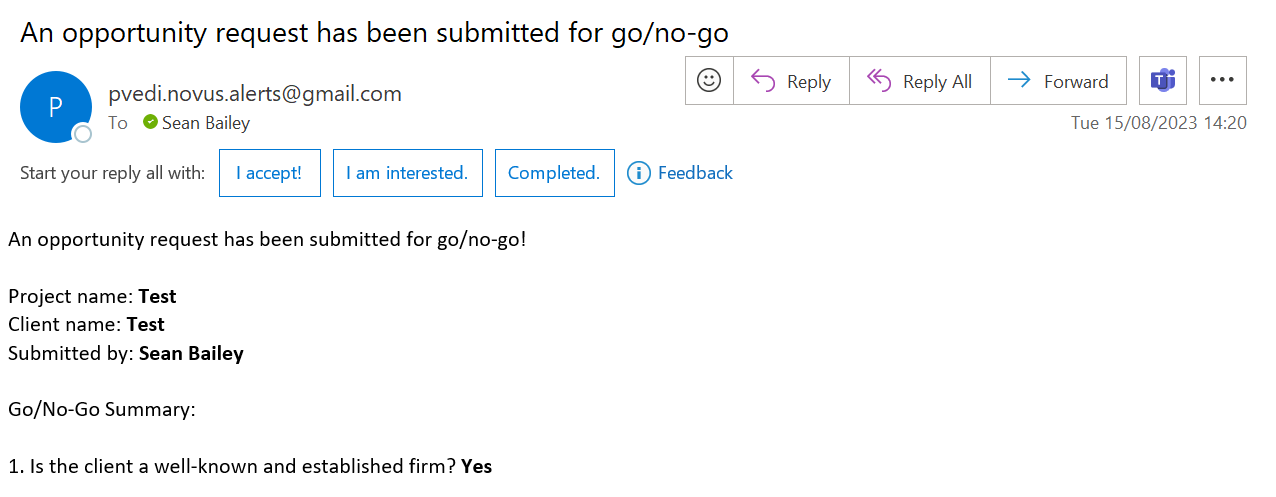
As of today, the go/no-go emails sent to directors for approval now include the name of the request submitter and the client name, as well as project info and the answers to the go/no-go questions.