Changelog

Follow new updates and improvements to PVE/EDI.

An overhaul of report settings
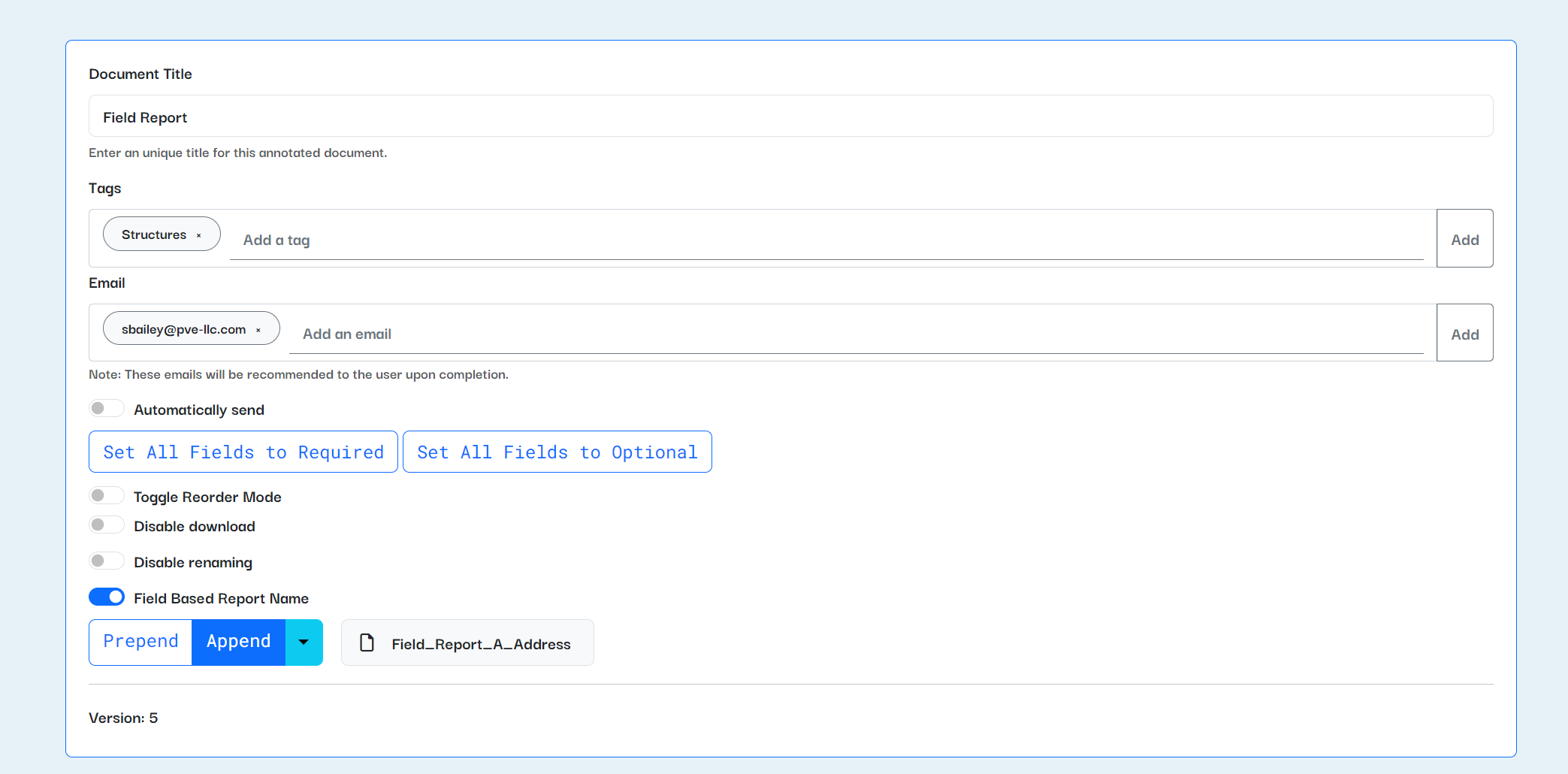
We recently closed the book on a collection of features (what software nerds call an “epic”) to give report creators more power. A summary of what was released:

  • Reports can be automatically emailed upon their creation. Do you want to be notified every time a field inspector completes a report on-site? Want proposals to be forwarded to a director automatically? Now you can pre-fill emails and automatically send them whenever a report is completed.

  • Reports can be named based on their fields. This will allow you to change the default filename for completed reports — want your documents to be named “123 Main Street Field Report” instead of just “Field Report”? Now you can.

  • Photo reports can now be made optional. No more putting in random photos just to delete them.

And a few smaller fixes and features:

  • Photo report photos can include prefixes.

  • Report creators can specify a numbering offset, so photo reports can start their numbering at a number greater than one. (Thanks, Alan, for requesting this.)

  • Report creators can optionally disable downloading and renaming of reports.

  • Plus signs in report names won’t cause an error anymore.

NewFixed

Text prefixes, HEIC file uploads, and other changes

A few things have been improved on Stanza since our last update:

Prefixes for text fields

Report creators can now add prefixed text to strings and text areas. This should help remind the report filer of the context behind the field. You can add prefixes with text from the report, or additional notes or information related to how the field is used.

Thanks to the MEP team for requesting this feature!

Partial support for HEIC files

HEIC files will not crash the application anymore. :D

There are still Windows file limitations that prevent us from being able to fully support HEIC files natively in Stanza. You can't crop, mark up, or edit HEIC files with the Stanza editor in your browser. But they will now be included in your reports without causing an error.

If you still have issues with HEIC files, please let the Software + Innovation team know by submitting feedback from Stanza or via email. You can also try converting the HEIC files to JPG or PNG; the IT team has a recommended conversion software that they use.

A few smaller improvements

  • The homepage card view now has a settings button for report creators to edit or delete their reports. This mirrors the settings button on the list view for the homepage.

  • The parapet report module has improved functionality for "None" and "Other" selection options. Coming soon to the rest of Stanza!

NewImproved

Parapet reports, map selector, and other improvements

Two major new improvements to Stanza are now out in beta!

Parapet report module

There's now a beta version of a report for parapet inspections under the new Local Law 126 requirements. We've been developing and testing this report and have implemented new functionality, including the ability to create lists of fields (in this case, parapet measurements and information) and have that repeat in the report.

We'll continue to refine the report as we test it out on-site, and functionality developed for the report will become available for all Stanza report creators soon!

Geodata map fields

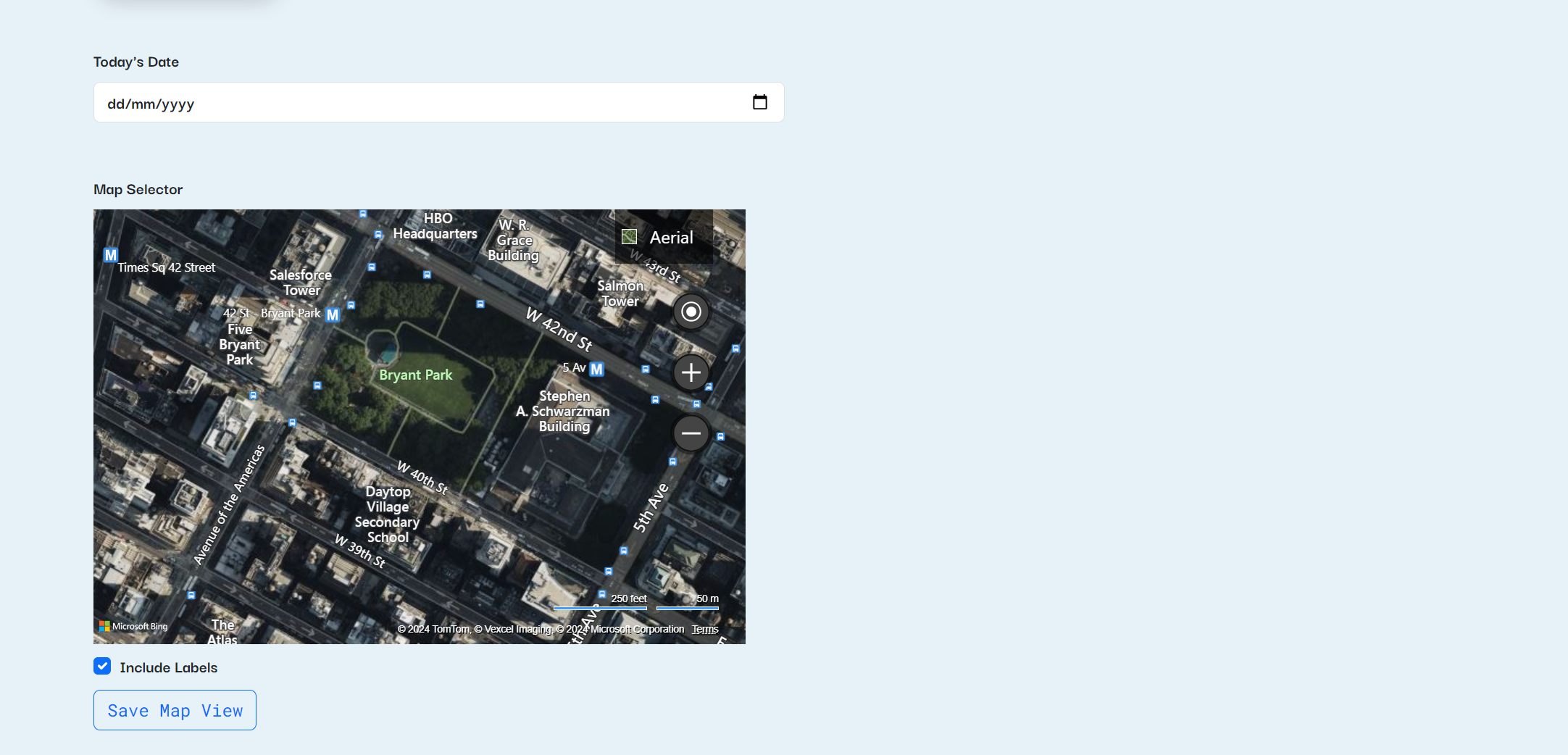
Report creators can now include a map selector in their reports. This functionality is still in beta, so we're working out some final kinks, but users are able to select an overhead satellite map, a birds-eye view, or a streetview image from a map and include it as an image in reports. This is now available in the report annotator under "Map"!

Other improvements and bugfixes

A laundry list:

  1. Implemented new range, maximum, minimum, and step options for number entry fields. You can now restrict number entries to a minimum and maximum value, as well as stepping by a certain amount.

  2. Squashed a bug with searching and pinning reports.

  3. Added the ability to toggle date-stamping on and off for individual photos in a photo report. (Thanks, Luis, for the request and for helping us test this feature!)

  4. Improvements to photo markup, including snapping shapes and text to grid, outlines and shadow effects for text, and many other small fixes and improvements.

  5. Fixed a bug where ampersands in text fields would not display properly.

  6. Fixed a bug where multi-select fields would show ", and" even if only one option was selected. (Thanks, Marco and Alan, for reporting this!)

NewImprovedFixed

Earlier updates